Instagram users often notice sudden drops in followers or low engagement without understanding why. The answer is not a technical limitation. It is a platform decision.
Instagram users often notice sudden drops in followers or low engagement without understanding why. A common question is why Instagram does not show who unfollowed you or which followers have become inactive.
The answer is not a technical limitation. It is a platform decision.
This article explains why Instagram does not show unfollowers and ghost followers, how Instagram defines follower activity, and how users can safely analyze this information using their official Instagram account data — without logging into third-party apps. For more details on common concerns, check our Instagram tracker FAQ.
Understanding Instagram's Follower System
Instagram treats followers as a relationship, not a history. Once someone follows or unfollows an account, Instagram updates the follower count, removes the relationship, and does not keep a visible record for users. Using a free Instagram unfollower tracker is the best way to regain this visibility.
Why Instagram Does Not Show Unfollowers
Instagram does not notify users when someone unfollows for several key reasons:
1. Focus on Engagement, Not Follower Loss
Instagram's algorithm prioritizes likes, comments, shares, and watch time. Follower loss does not directly impact content distribution. Showing unfollower alerts would encourage unhealthy behavior.
2. Privacy Protection
Unfollowing is considered a private action. If Instagram displayed unfollower information, harassment and retaliation could increase.
3. Scale and System Design
Storing and displaying unfollower history for billions of events daily would add unnecessary complexity without improving platform value.
Why Instagram Does Not Show Ghost Followers
From Instagram's perspective, a ghost follower is simply a follower who does not engage. Instagram does not flag or categories followers based on activity level.
Instagram measures how users interact with content, not whether a follower is "useful" or should be removed. These evaluations are left to the account owner.
How Users Can Identify Unfollowers & Ghost Followers Safely
Even though Instagram does not show this information directly, it does provide the raw data required to analyze it through official account data downloads.
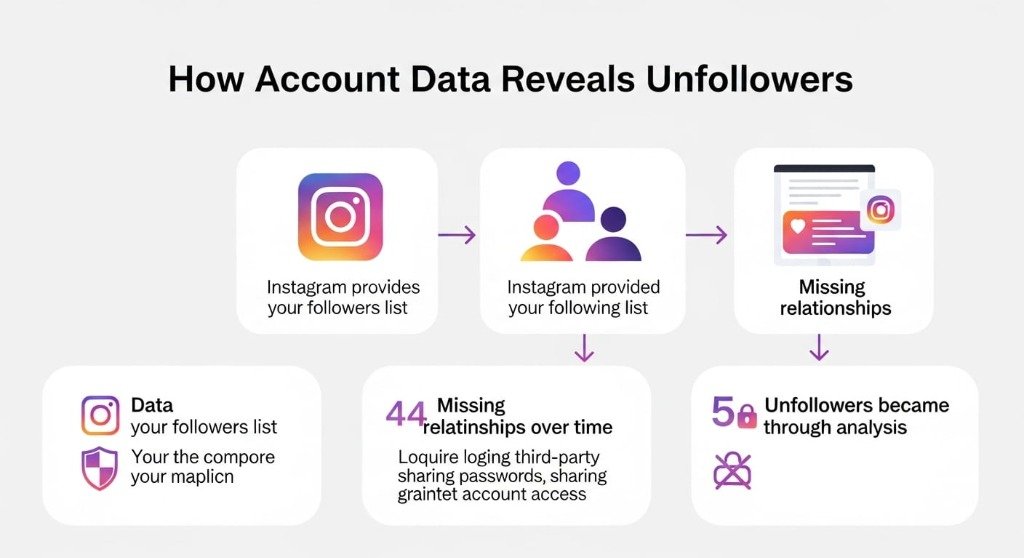
Step-by-Step: How Data Reveals Unfollowers
- Instagram provides your followers list
- Instagram provides your following list
- Data is compared over time
- Missing relationships are identified
| Feature | Instagram App | Data-Based Tools |
|---|---|---|
| Shows unfollowers | No | Yes |
| Shows ghost followers | No | Yes |
| Requires login | Already logged in | No |
Strong Conclusion
Instagram does not show unfollowers or ghost followers by design. By downloading and analyzing your own data, you can safely identify these patterns without risking account security.