This guide explains how to download your Instagram data step by step and how that data can be used to detect unfollowers and ghost followers.
Instagram does not show unfollowers, inactive followers, or ghost followers directly. To analyze this information safely, Instagram allows users to download their official account data in a structured JSON file.
This guide explains how to download your Instagram data step by step and how that data can be used to detect unfollowers and ghost followers — without logging into any third-party app. If you've ever wondered why Instagram does not show unfollowers directly, this data export is the only official way to find out.
Why You Need Instagram Account Data
Instagram account data contains important follower-related information that Instagram itself does not display inside the app. This data helps you:
- Identify who unfollowed you
- Detect inactive or ghost followers
- Understand follower quality
- Analyze engagement-related patterns
Because this data comes directly from Instagram, it is accurate and safe to use with our Instagram Unfollow Tracker.
What Is an Instagram JSON File?
When you request your Instagram data, Instagram provides it in a JSON (JavaScript Object Notation) format. A JSON file is a structured data file that includes:
- Followers list
- Following list
- Account activity metadata
Our tools read only the necessary follower-related data to analyze unfollowers and ghost followers. No unnecessary data is accessed.
How to Download Instagram Data (Step-by-Step)
Follow these steps carefully:
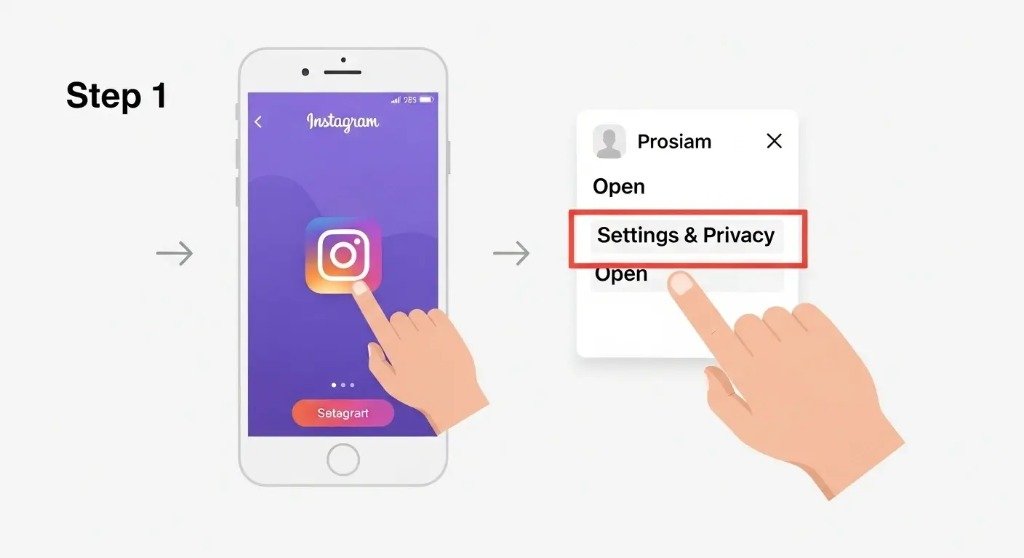
Step 1: Open Instagram Settings
- Go to Instagram
- Open Settings & Privacy
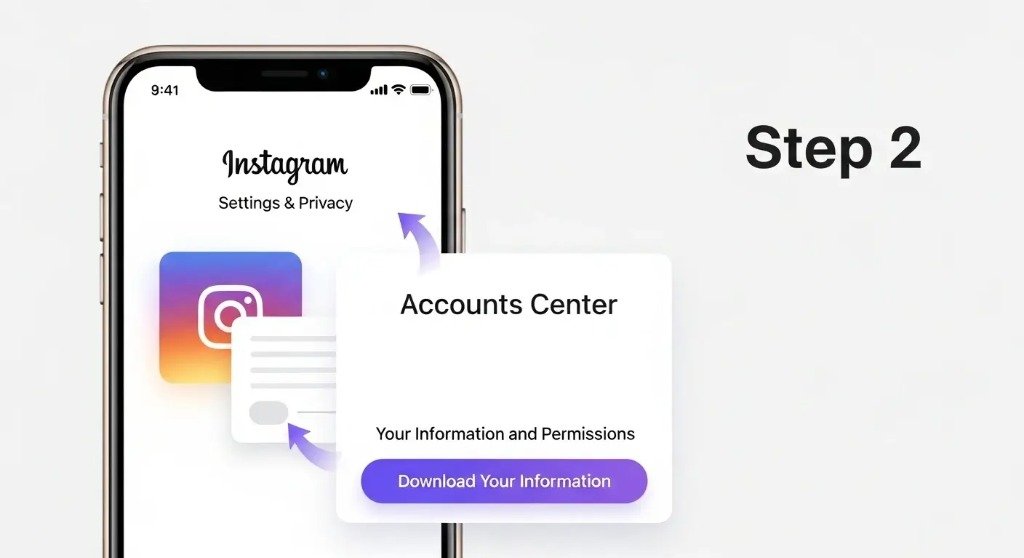
Step 2: Request Your Account Data
- Navigate to Accounts Center
- Select Your Information and Permissions
- Click Download Your Information
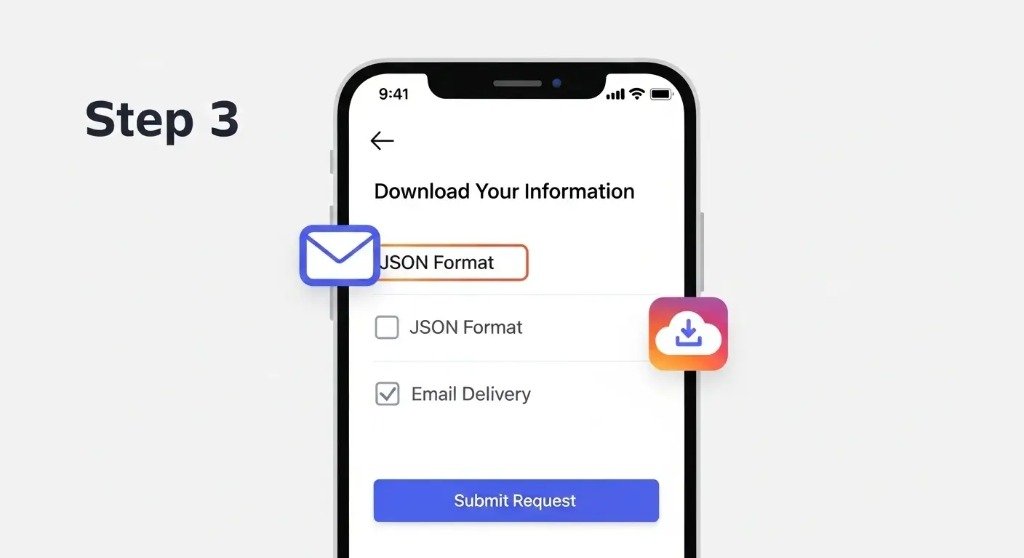
Step 3: Choose Data Format
- Select JSON format (Important!)
- Choose email delivery
- Submit your request
Instagram will prepare your data and email you a download link.
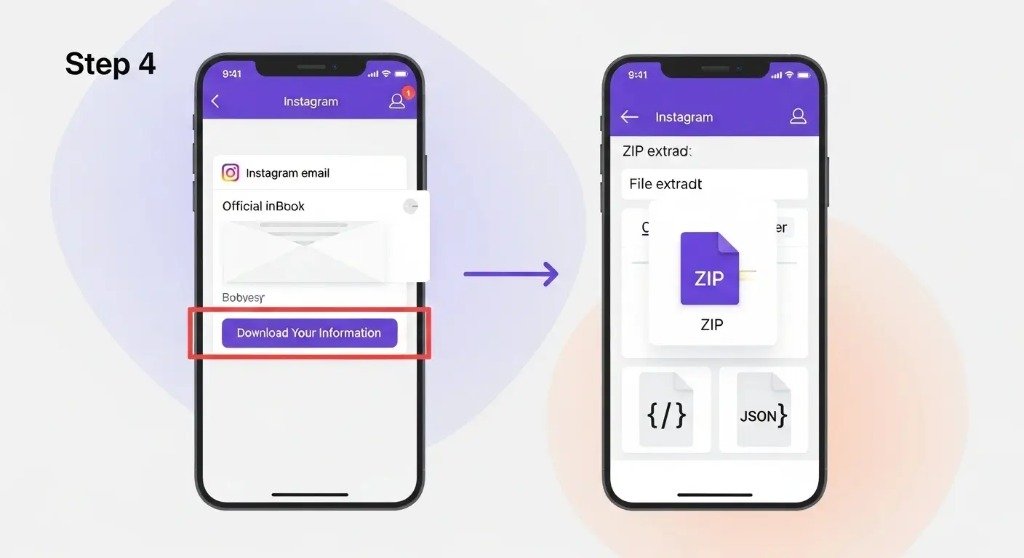
Step 4: Download the JSON File
- Open the email from Instagram
- Download the ZIP file
- Extract it to access the JSON files
This file contains the follower data needed for analysis.
How to Use Instagram JSON Data for Analysis
Once you have your JSON file, you can upload it to a safe analysis tool.
You can use your data to:
- Detect recent unfollowers
- Identify non-followers
- Find ghost or inactive followers
- Compare followers vs following
👉 Use your data with our tools:
Both tools work without login, password, or username access.
Is Downloading Instagram Data Safe?
Yes. Downloading your Instagram data is completely safe because:
- The data comes directly from Instagram
- You control the download process
- No third-party access is required
- No account connection is needed
Using your own downloaded data is the safest way to analyze Instagram followers.
Common Questions About Instagram Data Download
How long does Instagram take to prepare data?
Usually between a few minutes to 24 hours.
Can private accounts download data?
Yes. Private accounts can download their own data.
Do I need to log in to any tool?
No. You only upload the downloaded JSON file.
Is my data stored?
No. Our tools analyze the file and discard it after processing.